Why Won’t My Toshiba Laptop Turn On?
-
 Written By Kees Jan Meerman
 -
 Updated On Jul 28, 2026
 -
 Min Read 5 Min
 - Share this

Summary: If your Toshiba laptop won’t turn on, don’t panic. There are several possible causes of the issue, including a dead battery, faulty charger, residual power, or a failed hard drive. Troubleshoot the problem step-by-step by following the guide. If you need to recover data from a failed hard drive, contact Stellar Hard Disk Data Recovery.
Your Toshiba laptop is your trusty companion, helping you stay connected and productive. But what happens when your Toshiba laptop won’t turn on?
You hit the power button because an important Zoom meeting is due to start in a few minutes. Nothing happens.
We get so many emails asking why won’t my Toshiba laptop turn on even when plugged in.
Don’t panic! In this guide, we’ll show you some simple yet effective steps about what to do if your Toshiba laptop won’t turn on.
“Toshiba Laptop Won’t Turn on”- Troubleshooting Tips
Everyone is not a tech expert. We shall explain everything in plain language and guide you through the process step by step.
1. Dead Battery
The issue might not be with the laptop at all. The battery could have died. This happens quite often and could be because the charging circuit is broken.
To find if this is truly the case:
- Remove the laptop battery.
- Plug the Toshiba laptop into a wall outlet.
- If it works, the battery is the culprit.
- Consider ordering a brand new one from a Toshiba service center.
Till it arrives, you can keep on working with your Toshiba laptop plugged into the mains outlet.
2. Faulty Charger
This is the most common cause. The charger could have failed. Since it is essentially a transformer made of thousands of runs of wire, at times failure does happen.
Use another laptop adapter and find out if your laptop can power up (without the battery of course).
If it works then you have to order a new laptop adapter from Toshiba.
Remember, the battery and charger must always be genuine. Genuine costs more but does not get overloaded, catch fire, or supply intermittent power.
3. Drain Residual Power
Although you switch off the Toshiba laptop every night, there is residual power in the circuits. This might build up and prevent start-up.
Draining power is a step in troubleshooting some power issues or glitches.
To do this, you need to follow these steps:
Shut down your laptop and disconnect it from any power source, such as the AC adapter.
Remove all USB devices such as pen drives and keyboard/mouse.
Remove the battery from your laptop. Most full-sized Toshiba laptops have removable batteries that you can access by sliding a latch.
Hold down the power button for at least 30 seconds. This will drain any residual power from the laptop that may be causing problems.
Reconnect the battery and the AC adapter to your laptop.
Turn on your laptop and check if it works normally.
4. CMOS Battery Change
The CMOS battery is a small, coin-shaped battery that is present on the motherboard. It provides the charge that lets any computer power up.
CMOS batteries have to be changed every year. If they die, the machine won’t power up.
- Shut down the computer and unplug it from the power source before opening the case.
- Unscrew and slide off the back panel to reveal the motherboard.
- Look for a small, round battery on the motherboard. It is usually located near the processor or memory modules.
- Use a small flathead screwdriver to gently pry it out.
- Replace with a new one or exactly the same model. It costs a few cents.
- Replace the back panel and battery.
Power up the Toshiba laptop and see if it works.
5. Broken Components
If none of the above work then the hard drive may have failed. The repair has to be done by a trained professional.
A Toshiba laptop could have an old-fashioned hard disk, an SSD, or a newer NVME depending on the year of manufacture and model.
While Toshiba is known for using the highest quality components, storage units can fail due to extreme heat, humidity, or physical shock.
At this stage, it is best if you seek expert advice from a laptop recovery service.
How to Recover Data when Troubleshooting Won’t Work?
Don’t let a failed hard drive stop you from accessing your precious data. Stellar Data Recovery is the trusted name for restoring data from any device, whether it’s a server, a hard disk, or a solid-state drive. With 30 years of experience and a team of experts, we can handle any data loss scenario.
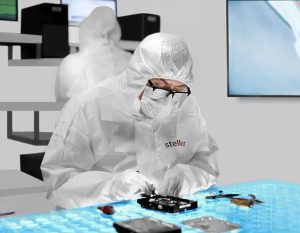
If your Toshiba laptop won’t boot up, contact our Stellar Data Recovery Service today. We have the tools and skills to get your data back in no time.
- Malware infection
- Crashed hard drive
- Broken components e.g. actuator and motor
- Water damage
- Heat damage
- Deleted partition
- Deleted folders
- Wrong formatting and many more cases.
Every year we perform 40,000 hard disk recoveries and use spare parts from our stock of 15,000 donor drives.
No matter when your Toshiba laptop was manufactured, we are confident of finding a solution and recovering the data.
If you’re experiencing other hard drive or system-related issues, check out these related guides below to keep your system running smoothly and your data protected:
FAQs
Yes, it is possible to recover data from a Toshiba laptop that won’t boot up.
We remove the hard drive from the laptop and find out the defect. Thereafter we construct an exact clone of the drive. The data is verified and we send the contents to the client.
Of course, some laptops might be damaged beyond recovery. But upto 100% of our clients get the results they desire.
Stellar Data Recovery Services are easily accessible globally, with a vast network of 8000+ partners.
In a computer, the CPU and RAM are usually (statistically) the last components that fail.
The issue is usually the motherboard or hard drive/SSD (assuming the battery or charger is properly working).
A lot depends on how the laptop has been used.
If it is used in very computing-intensive processes such as video editing then the chances of a breakdown are higher. Even the most expensive laptops are very delicate compared to desktops. Heat builds up quickly in the most expensive models and damages the internal circuitry.
- If the laptop has been used to do light work e.g. create presentations and watch streaming videos then most likely the hard disk has failed.
- If it has been used for gaming and other resource-intensive processes, it is more likely that the motherboard has failed.
Of course, these are merely trends. Each case is different and unique.
Your Toshiba laptop has a tiny circuit known as BIOS (Basic Input Output System). When you switch the laptop on, the BIOS (powered by a tiny CMOS battery that looks like a coin) springs to life, this is known as hardware initialization. So the BIOS is something like the starter motor of a car.
If the battery dies, BIOS cannot function and the rest of the computer cannot wake up (computers quite literally wake up as BIOS tests hardware and turns them on). The BIOS battery needs to be changed. Once a year is the standard frequency to be on the safe side.
Rarely the BIOS (which is actually a tiny program) gets corrupted. If you send it for repairs (OEM service center) they would change it in 1-2 days.


About the author