How to Recover Data from a Physically Damaged SSD: The Expert Guide
-
 Written By Kees Jan Meerman
 -
 Updated On Jun 25, 2026
 -
 Min Read 5 Min
 - Share this

Summary: Recovering data from physically damaged SSD requires expert assistance. No DIY fixes help retrieve data in such cases, so it’ best to reach out to a professional data recovery service provider like Stellar Data Recovery. We maintain 70% success rate in SSD recoveries. Our data recovery experts follow case-specific approaches; for severe damage we use advanced recovery tools, and when required we perform SSD chip-off techniques.
Solid State Drives (SSD) have become widely popular over the past few years replacing traditional hard disc drives (HDD). SSDs use flash memory (no moving parts) making them faster, more reliable, and energy efficient. Even though they are an advanced storage system, users may still encounter data loss due to physical damage or corruption. And when it happens the drive stops working completely, sending the user in panic.
However, the data stored on flash memory is recoverable—provided the right approach has been taken. This article covers what physical damage in an SSD is and how experts recover data from a physically damaged SSD in professional data recovery labs.
What is Physical Damage in an SSD
Compared to conventional hard disks, solid-state drives (SSDs) are more efficient. However, damage can occur to even the most advanced storage devices.
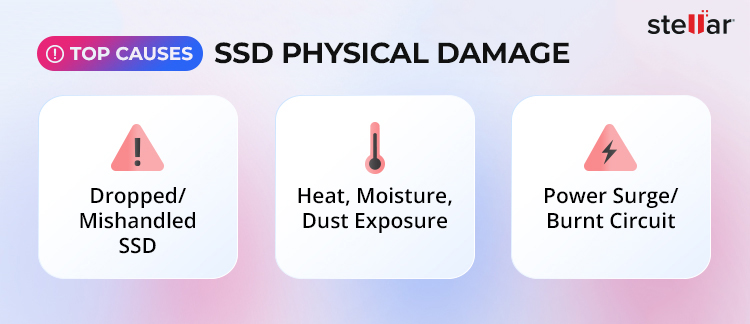
One of the most common reasons behind SSD failure is physical damage. This type of damage refers to direct and tangible harm to the internal components such as, flash memory chips, and PCB. Although SSDs don’t have any moving parts like hard drives do, their electronic components are nevertheless sensitive. Physical damage can be categorized into different types based on its cause, as follows:
Improper Handling
Microfractures on the circuit board or connectors may result from dropping a laptop or an external SSD. The controller, NAND flash chips, and solder connections can all be harmed by even little impacts.
When it comes to portable SSDs, they are prone to break. People usually carry portable storage devices in their pockets or backpacks without any protection, plugging and unplugging connectors over and over again can cause them to wear out over time.
Environmental Damage
Environmental damage in SSDs refers to premature failure of the drive that may lead to data loss. The different types of environmental damage are as follows:
- Temperature Fluctuations: SSDs can be vulnerable to harsh environmental conditions. Extreme heat is a huge threat. The controller can get too hot outside, and the flash memory cells can burn out more quickly. The NAND chips
can’t hold data as well when they grow too hot, which might cause the drive to lose files or cease working completely.
It’s just as unpleasant when it’s cold. When SSD parts are in cold temperatures, they can become brittle, which makes it more probable that they will break or lose connections. When the temperature changes abruptly, such as when you move a cold SSD into a warm area, condensation can happen. This wetness can hurt circuits and cause them to short out. - Water Damage: Flood or excessive humidity is another common risk. Even a small amount of water within the SSD might cause the printed circuit board (PCB) to rust and break down. Corrosion makes it hard for electrical impulses to pass through, which can cause read/write errors or even a complete drive failure.
Power Surges and Electricity issue
When talking about SSD’s health, it is important to address the power surge and electrical issue separately, even though some problems can stem from improper handling. For instance, putting too much pressure or bending on the drive can potentially break connectors or damage pins. If you don’t put the SSD in the right way, static energy can short-circuit things inside it. After this, you might not be able to find the drive or it might not turn on. Electrical issues can further strain on SSDs and affect the drive’s health. Power surges, inconsistent voltage, or abrupt disconnection can break the controller or mess with the firmware. A faulty USB cable or an uncontrolled power supply could also hurt the drive’s electronics.
Signs Your SSD Has Physical Damage
It is crucial to identify the physical damage at its earliest stage. The following symptoms will help you to understand when to stop using the drive to prevent further damage.
Many users ignore early warning signs of SSD failure, which can lead to permanent data loss. Learn more about the common warning signs of SSD failure and when to take immediate action.
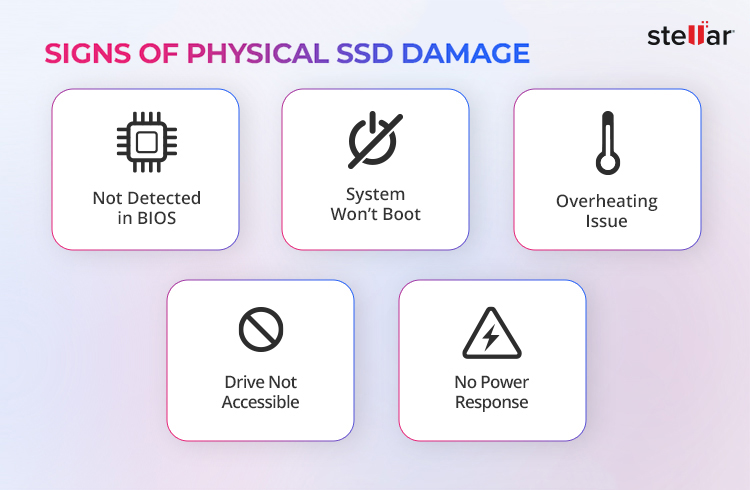
- SSD is not detected on BIOS/UEFI.
- The system fails to boot after power surge.
- No power response or connectivity.
- The dive becomes unusually hot.
- Sudden data inaccessibility without prior warning.
It is needless to say that physical damage makes data inaccessible. This is where people tend to make mistakes by reaching out to the local service providers for quick & cheap data recovery. It only makes things worse instead. In such a scenario, you need a professional data recovery service provider like Stellar Data Recovery.
Many users are unaware of the risks involved in choosing untrained technicians. Learn more about the risks associated with local data recovery service providers and why they often lead to permanent data loss.
What Not to Do After Physical Damage
Once you are certain your SSD is physically damaged and if it contains valuable data then the following precautions will help you to avoid permanent data loss.
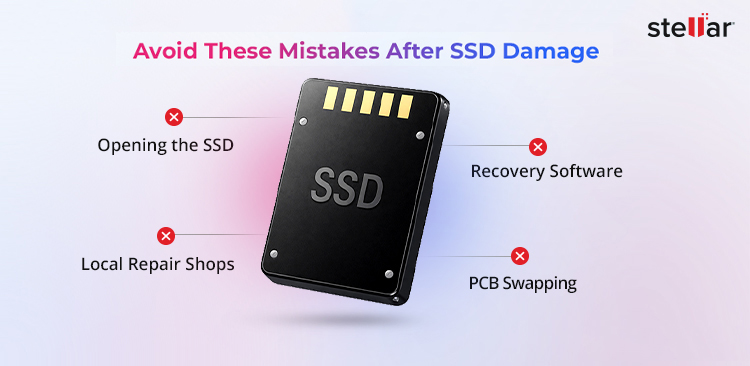
- Attempting DIY repairs or swapping PCB from another SSD.
- Using data recovery software that is ineffective for physical damage.
- Sending your drive to a local repair shop. They may be able to repair the drive, but you may not get your data back.
The above-mentioned actions can overwrite data in firmware area, worsen controller issue and further damage NAND chips.
How does a Professional Help in Recovering Data?
When SSDs suffer from physical damage, data inaccessibility is inevitable. If the chips are broken, the circuits are scorched, or the parts are corroded, no system can read the drive. In such cases, only an SSD data recovery service can recover data without being overwritten.
The first thing Stellar Data Recover’s experts do is to look at the drive in a safe environment. They find out how bad the damage is and what caused it, such as heat, water, impact, or a power outage. You need to know a lot about the controller and NAND chips in each SSD model to get data back from it. Professionals employ modern diagnostic technologies to discover problems without making them worse.
If the damage is physical, our recovery team works in a Controlled environment, ISO certified data recovery lab with worlds best data recovery tools and techniques. Skilled technicians replace damaged parts including connectors, PCBs, and makes memory chips to readable again.
When the drive is operational, drive cloning is done to replicate the data bit by bit. This technique protects the data from overwriting. After that, the data that is stored on a donor drive followed by the data recovery.
Taking help from a professional service like Stellar Data Recovery makes a tremendous difference. We can get data back from complex physical damage cases because our service is backed over 30 years of experience, advanced technology, best-in-class tools and expert professionals.
Wrap Up
It is needless to say that even though SSDs are durable and faster, they are not immune to damage. An accidental drop, liquid spillage, flood, excessive heat, or power surge can seriously damage SSDs and lead to data loss. If the drive is affected, trying local services to recover data can make the situation even worse. The safest option is to seek help from a reputed service provider like Stellar Data Recovery that understands the complexity of such cases. So, if your SSD fails and important data becomes inaccessible, do not think twice—contact us and recover what matters the most. For physically damaged SSDs, timely action is crucial. Contact a professional data recovery service as soon as possible to maximize the chances of successful recovery.
If you are facing other SSD-related problems besides physical damage, the following articles may help you understand common issues and their solutions in detail.
FAQs
The usual cause of SSD failure is power surge, overheating, NAND flash wear, controller failure, and firmware corruption.
When your SSD fails you will experience slow performance, data inaccessibility, system freezes, and difficulty booting up.
Yes, you can recover all your data. But a complete data recovery depends on the recovery expert. If you go to a local data recovery shop or try to recover data on your own instead of reaching out to an ISO-certified data recovery service like Stellar Data Recovery, you may end up losing all the important data.
SSDs usually remain in proper working condition for 5 to 10 years or longer. Unlike HDDs, SSDs lack platters, and that prevents mechanical wear. Wear-leveling and SMART monitoring are features of contemporary SSDs that help increase longevity and notify users before failure occurs.


About the author